Fashion MCP Directory: We Built a Shopping App on It in 3 Steps
Tired of the same search-and-scroll experience? Here's how anyone can build a custom shopping app with AI in 3 steps using the Fashion MCP Directory.

by YesPlz.AIAugust 24, 2026

Tired of the same search-and-scroll experience? Here's how anyone can build a custom shopping app with AI in 3 steps using the Fashion MCP Directory.
by YesPlz.AIAugust 24, 2026
Most online shopping still works the same way it did ten years ago. Shoppers type something into a search bar, apply a few filters, and scroll through a grid of products. Then, hope something catches their eye. It works, but is it exciting?
These shopping experiences were built around products, not around shoppers. And if you're a retailer reading this, you probably already feel the gap on the other side.
You want your shoppers to spend more time with your products, to really explore your catalog. You want them to fall in love with something they wouldn't have found by just searching for a chiffon dress.
But building something like that? That usually means talking to your dev team and waiting for a feature request to get approved. Or, hoping your eCommerce platform eventually ships it.
What if you could just build it yourself, this afternoon, with no dev team and no coding? That's exactly what this guide is about.
Imagine you're a shopper looking for a bridesmaid dress. You have a general idea of what you want: something flowy, floor-length, under $150. But when you search for that, you get 60 results and feel more overwhelmed than when you started.
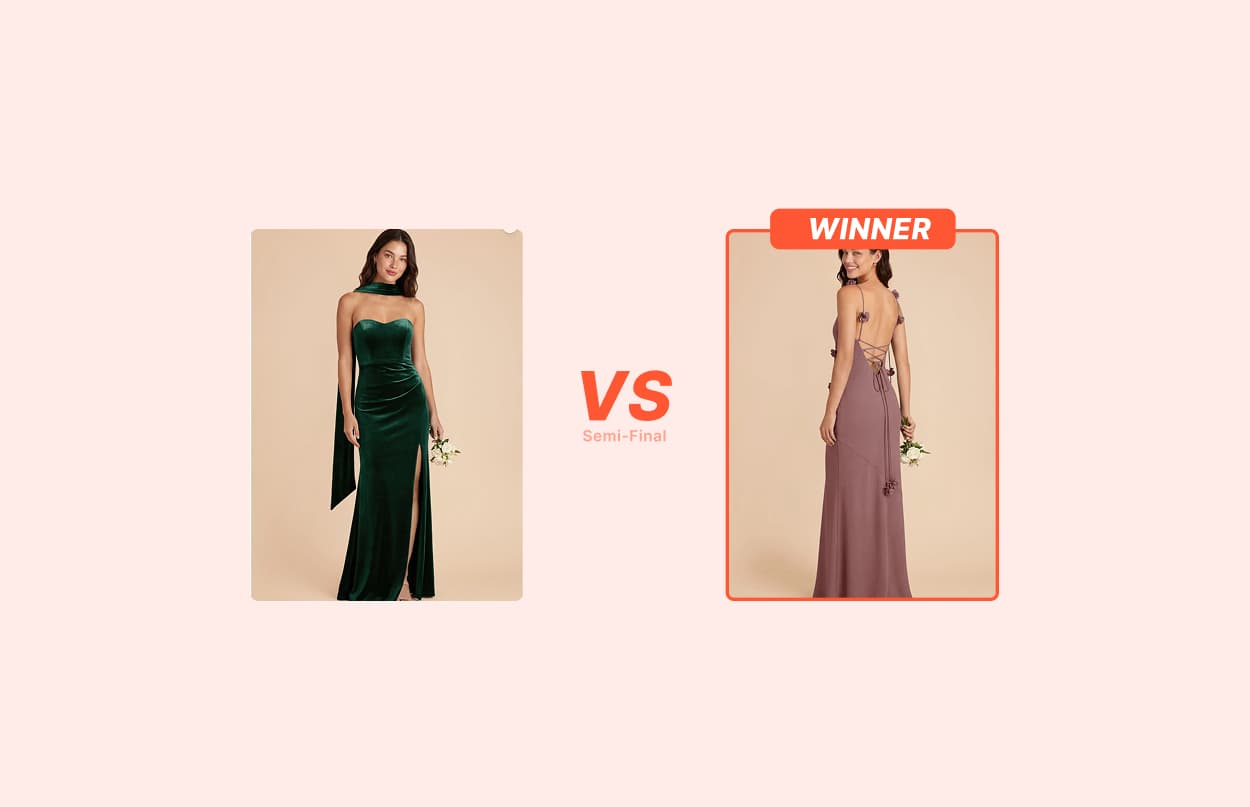
Now imagine a different AI shopping experience. Every chiffon dress in your store's catalog enters a tournament. Two dresses appear on your screen at once. You pick the one you like more. The winner moves on. Round by round, the field narrows, until one dress is left standing. That is the one that beat everything else in your own personal bracket.
That's a chiffon dress tournament. And it's the kind of experience that makes shoppers engaged with your catalog, not just scrolling past it. No store has built this for you. But you can build it yourself.
Before we walk through how to do this, here's the good news. You don't need to know how to code. And you don't need to hire anyone. All you need is two things:
An AI assistant: Claude Code, Codex, or Cursor work well for this.
An MCP address: You can copy one from the Fashion MCP Directory.
Have you ever heard of an MCP address and the Fashion MCP Directory before? Here's the simplest way to think about it.
You know how a phone number connects you directly to a specific person? An MCP address works the same way. It's a direct line that connects your AI assistant to a specific store's live inventory. Once your AI has that address, it can browse that store's products, prices, and photos on your behalf.
The Fashion MCP Directory is where you find those addresses. It's a free MCP directory of fashion stores that made their live product catalog available for AI to connect to. Right now it lists nearly 5,000 live stores. And it updates daily. You browse the directory, find a store you like, and copy its address. That's all the setup there is.
Whether you're a shopper, a retailer, or anyone who wants to try this AI-powered shopping experience, the flow is simple:
Open the Fashion MCP Directory
Find a store you like
Copy its MCP address
Paste it into Claude Code or a similar AI assistant with a description of the experience you want to build
That’s it.
For this walkthrough, we're using Claude Code and Birdy Grey — a bridesmaid dress brand with a live catalog in the Fashion MCP Directory.
Make sure you have Claude Code installed. Open it on your computer and create a new folder for this project. You can call it anything. For example, "fashion MCP" works fine. This is just where Claude will save the app it builds for you. It takes about ten seconds.
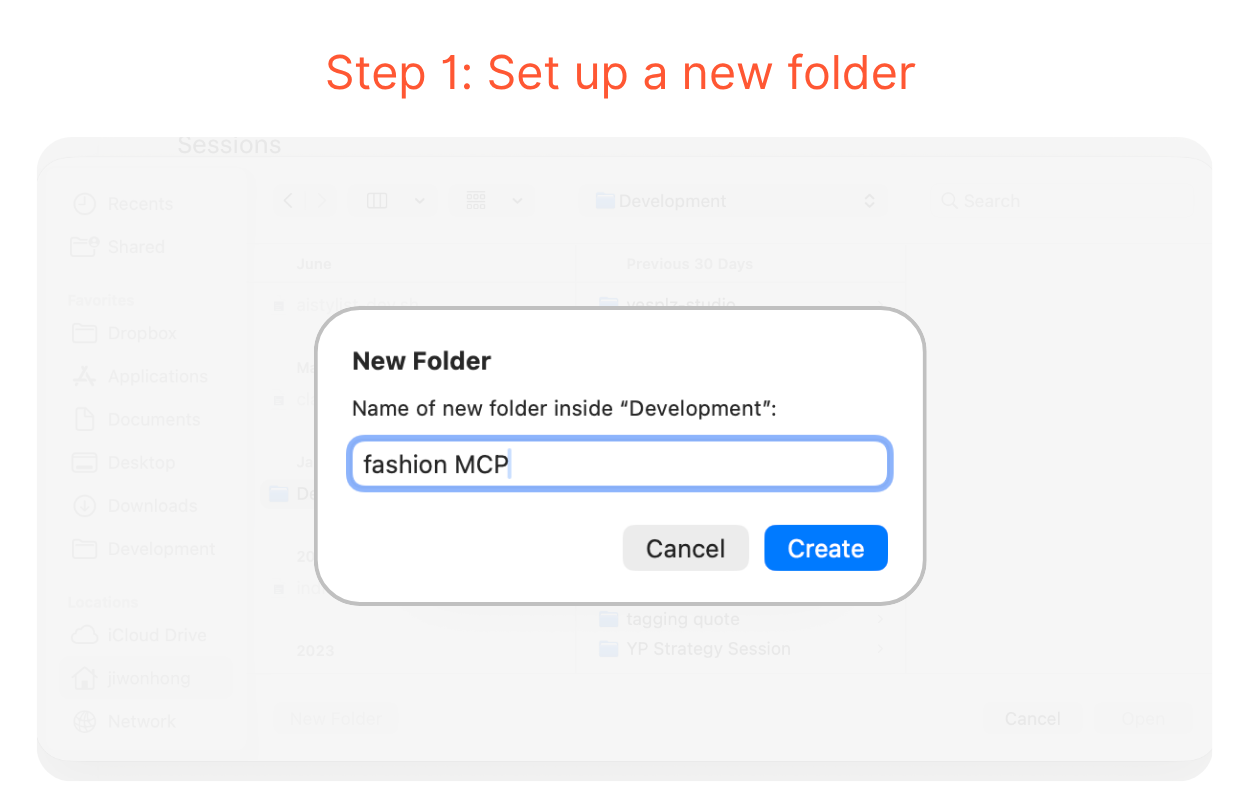 Step 2: Write Your Prompt and Paste the MCP Address
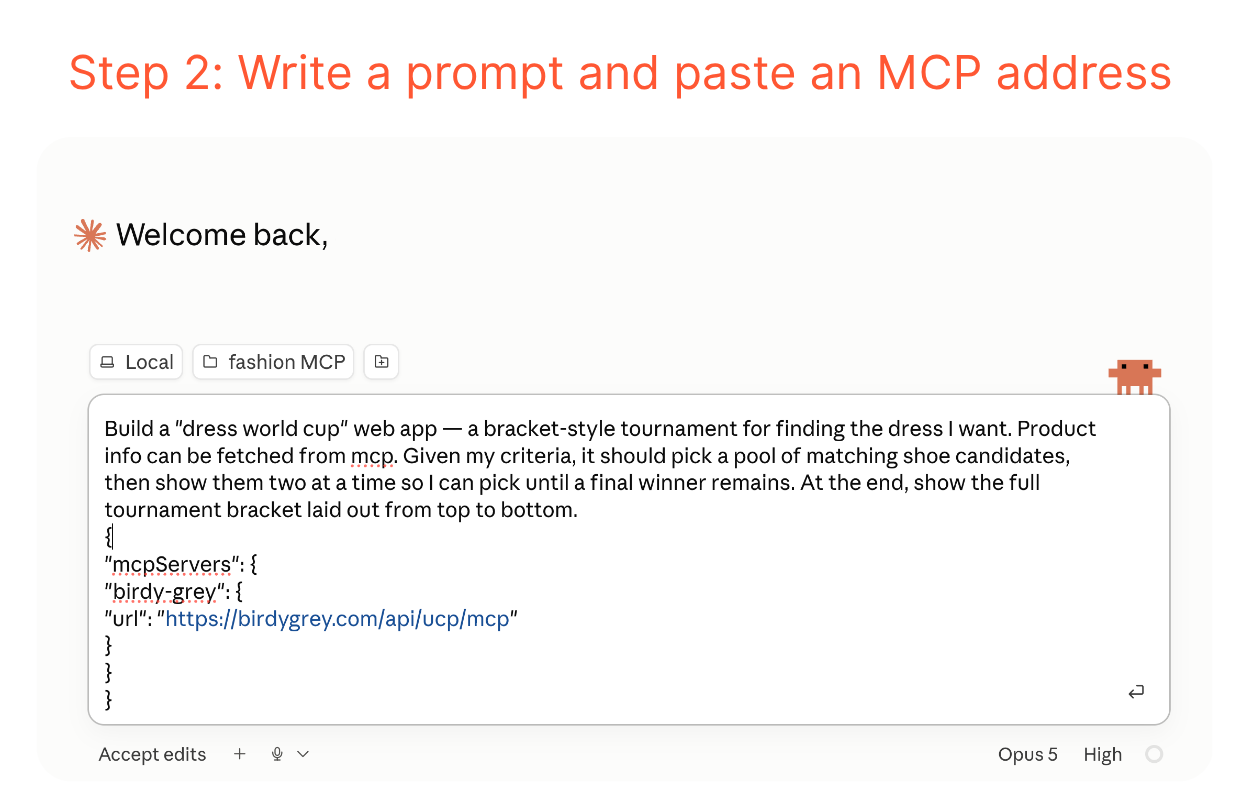
This is the fun part. In Claude Code, open the folder you’ve just created and describe what you want to build. Here's the prompt we used for the chiffon dress tournament:
"Build a 'dress world cup' web app — a bracket-style tournament for finding the dress I want. Product info can be fetched from MCP. Given my criteria, it should pick a pool of matching dress candidates, then show them two at a time so I can pick until a final winner remains. At the end, show the full tournament bracket laid out from top to bottom."
Then, right below the prompt, paste the MCP address you copied from the Fashion MCP Directory:
{
"mcpServers": {
"birdy-grey": {
"url": "https://birdygrey.com/api/ucp/mcp"
}
}
}
This address helps connect Claude to Birdy Grey's live catalog so it can pull chiffon dresses from here.
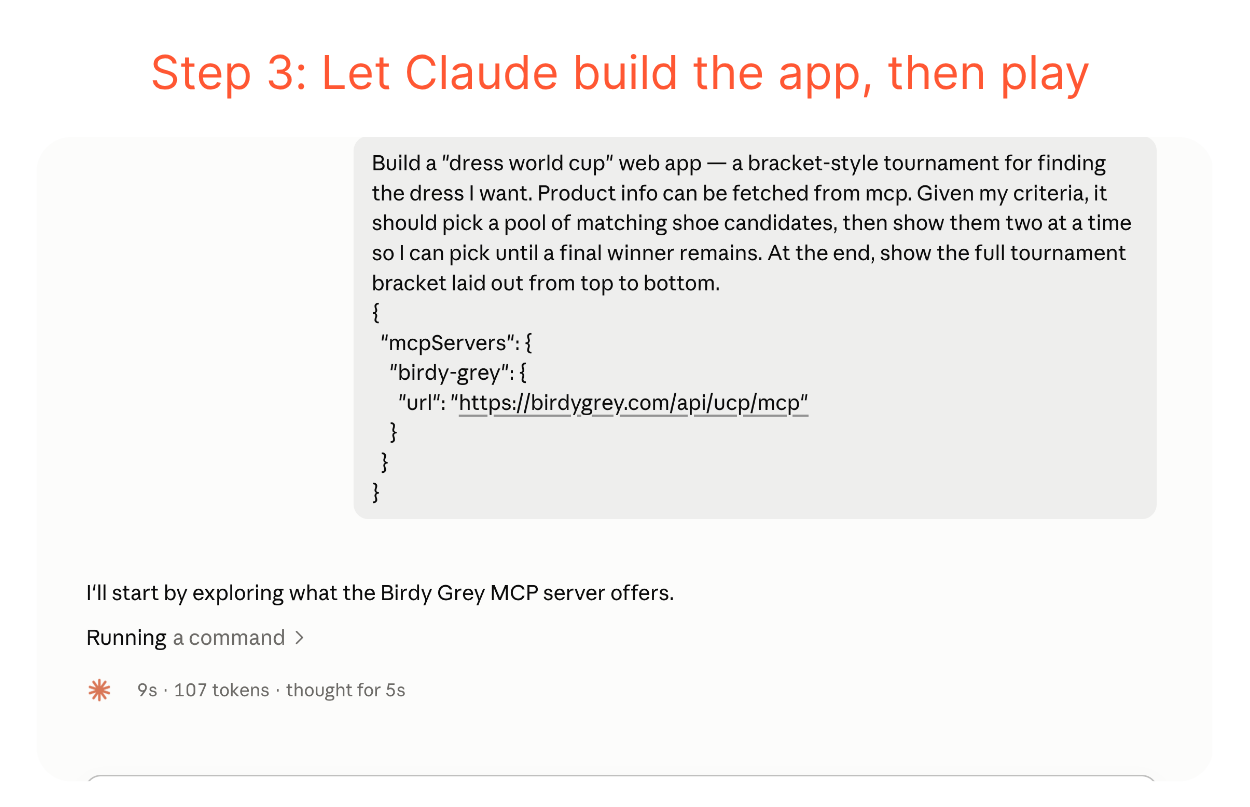
 Step 3: Let Claude Build It, Then Play
 Claude reads your prompt, connects to the store's catalog through the MCP address, and starts building the app. You can watch it think through the task. It explores the catalog, sets up the bracket logic, and designs the interface.
 A few minutes later, your chiffon dress tournament is ready. Two dresses pulled straight from Birdy Grey's catalog appear side by side. You click the one you like more, and the bracket moves forward.
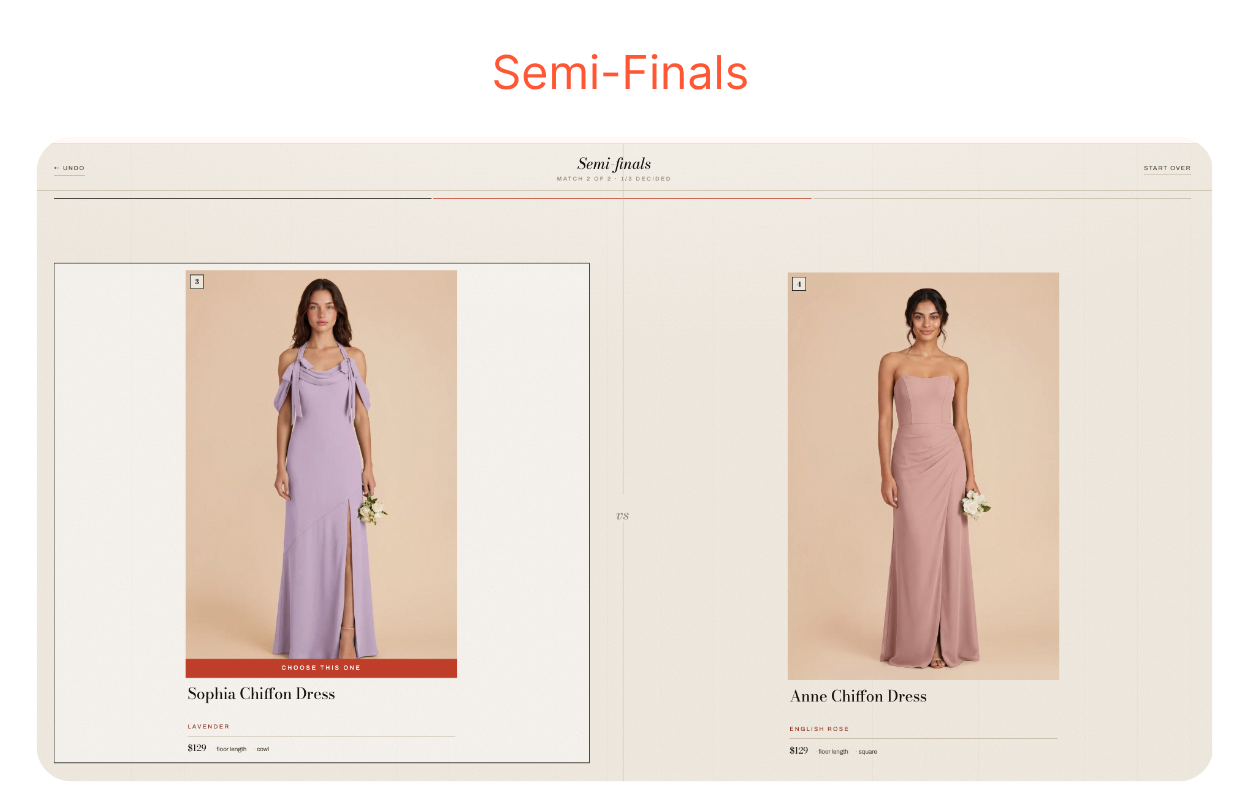 Round by round, dresses get eliminated until you reach the final.
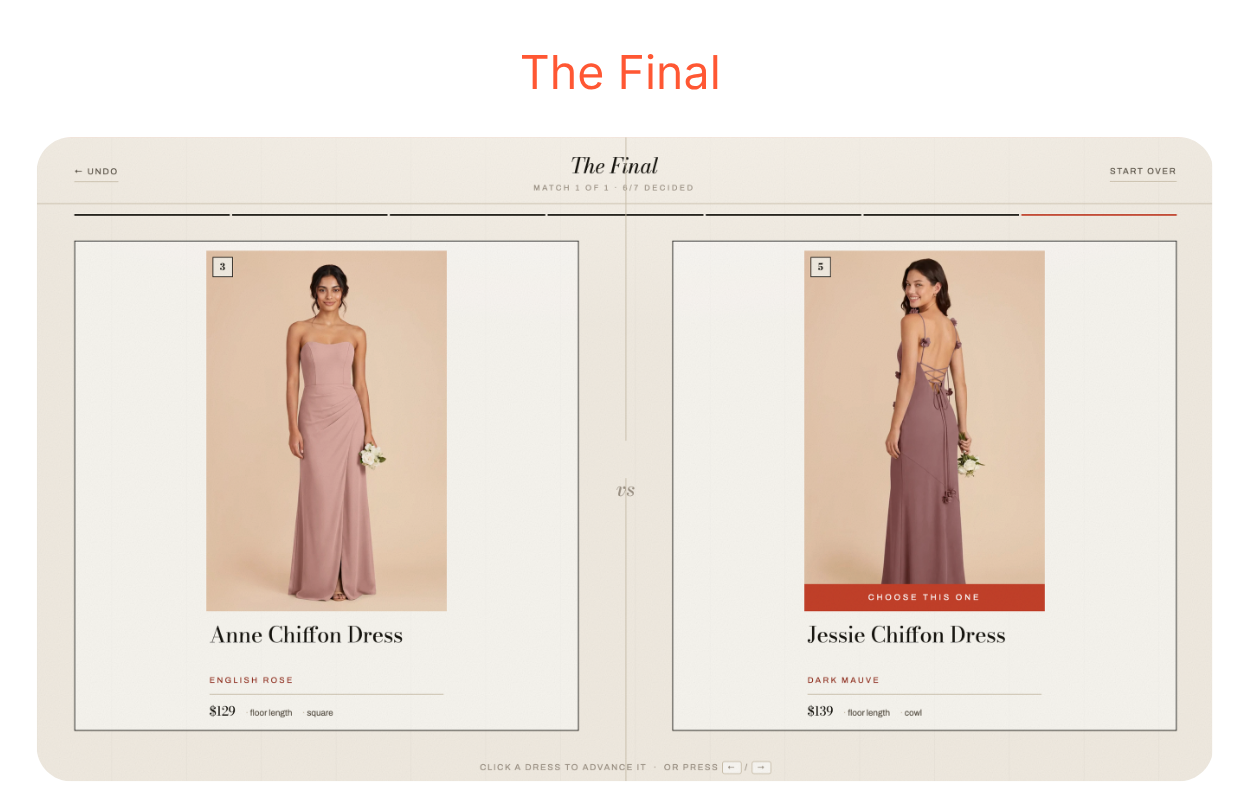 The entire process, from opening Claude Code to making your final pick, takes about ten minutes. You didn't write a single line of code. And you didn't wait for anyone to build it for you.
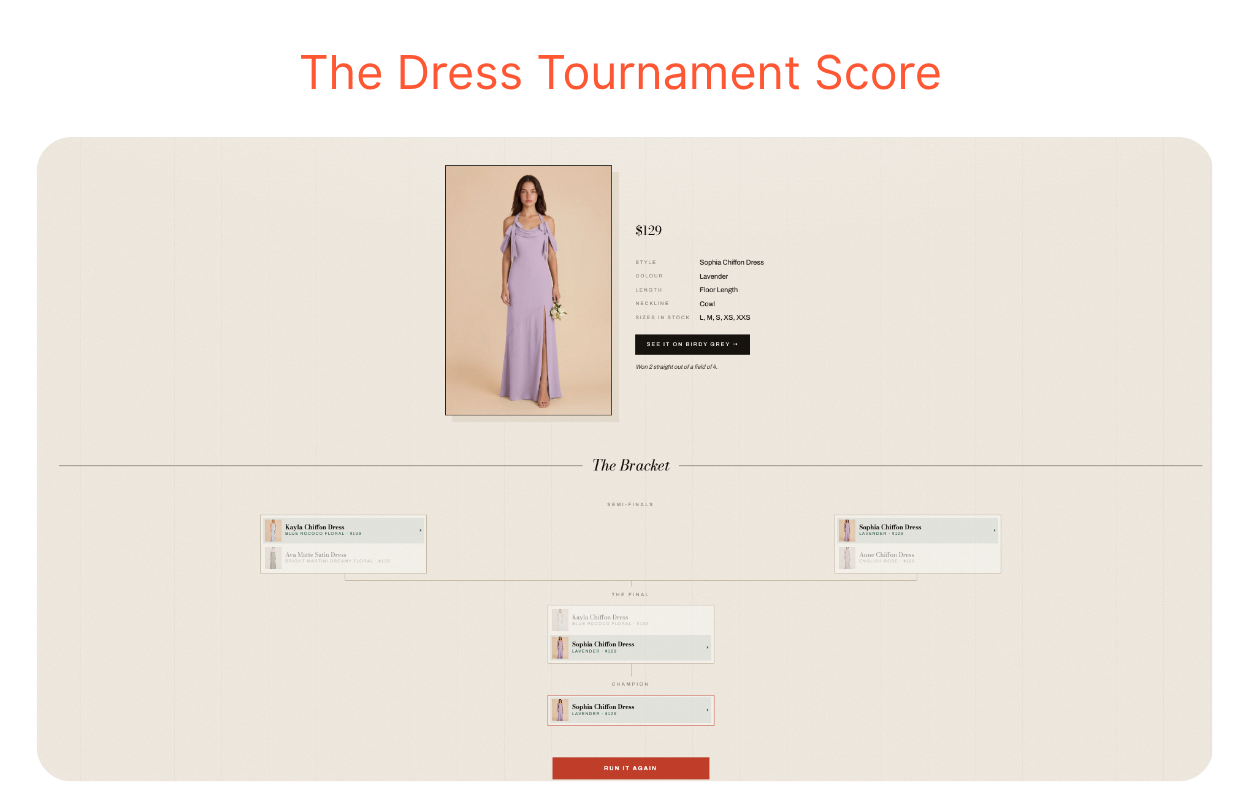 All you need to do is copy and paste the MCP address and describe what you want, the same way you use AI assistants for your work. That's the beauty of being able to build a shopping app with AI.
Until now, the shopping experience was whatever an eCommerce platform decided to build. If you wanted something custom, you had to rely on the dev team. And if they didn't offer a dress tournament, you simply didn't get one.
Building custom shopping apps was expensive, time-consuming, and completely out of reach for many online fashion stores. The Fashion MCP Directory changes that. Anyone, from shoppers to retailers, can now build the shopping experience they actually want.
What you just saw was a fully working app, built in minutes, without writing a single line of code. That's what makes this exciting. The experience is no longer limited by what a platform decides to ship. It's limited only by what you can imagine.
Once you've done the chiffon dress tournament, you start seeing the possibilities everywhere. Our team at YesPlz AI also had a lot of fun building our own dream fashion shopping apps. It all took a few minutes. The hardest part now wasn't the building. It was deciding what to make first.
Here are a few ideas to get you started, all following the same pattern — a prompt, an MCP address, and a few minutes:
Capsule wardrobe builder: Shoppers tell AI their budget and a few style preferences. Have it pull pieces from one store's catalog that all work together as a complete wardrobe.
Dupe finder across stores: Paste the MCP addresses of two or more stores. Ask AI to find the closest match for a specific item at each store, with prices compared side by side.
Mood board shoppers: Describe a vibe, for example, ‘coastal grandmother,’ ‘quiet luxury,’ ‘Tokyo street style’. Let AI pull pieces from the catalog that match that aesthetic. Instead of searching by product type, shoppers are searching by feeling.
Each of these is a custom AI shopping experience, built in minutes, on top of a real store's live catalog.
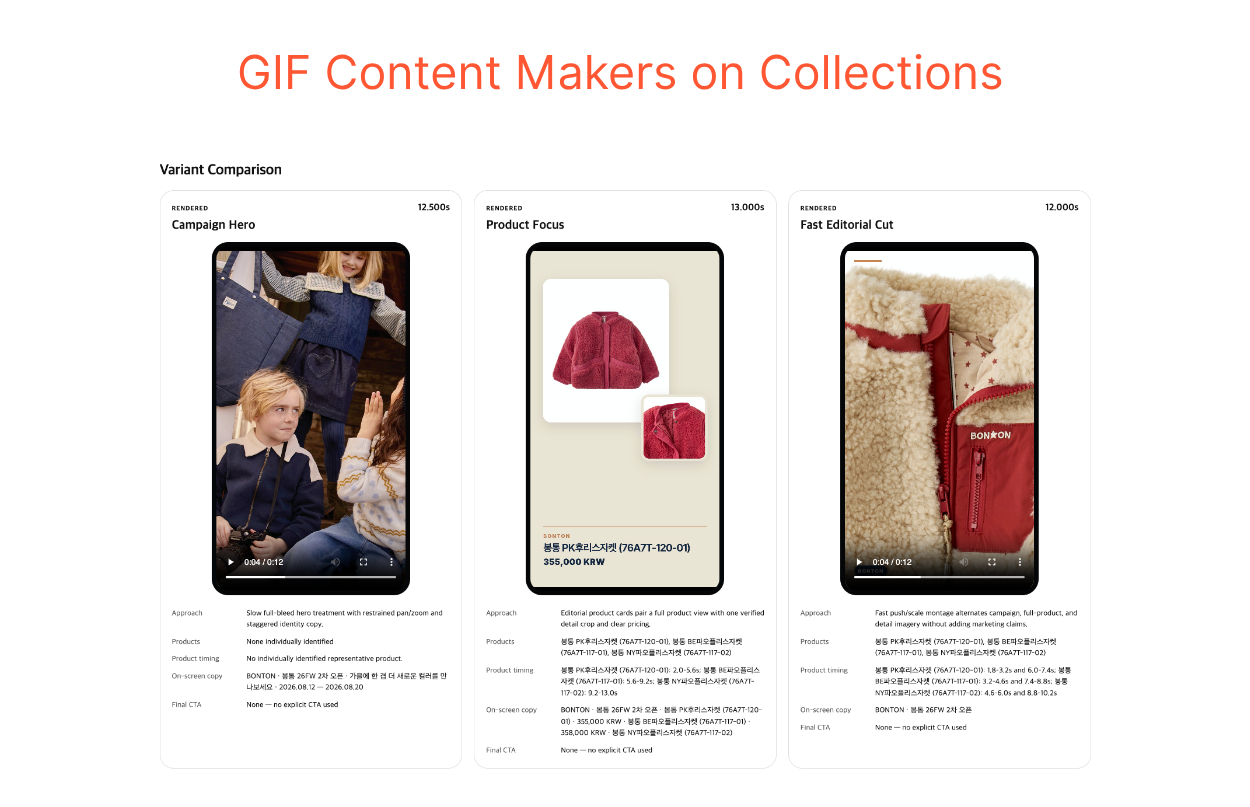 A Note for Retailers
Shoppers, retailers, or content creators can build their own dream apps. Pricing strategy tools, collection builders, Instagram and TikTok content generators — the possibilities are wide open. You no longer need a designer or an engineer to test a great idea.
If you're running a fashion brand, the interesting thing to note here is what's happening on the shopper's side. The shopper who built a dress tournament on your product catalog just spent minutes comparing dozens of your dresses, thinking carefully about each one, and arriving at a clear favorite.
That's a level of engagement that a standard product grid rarely produces. Every experience someone builds using your MCP address is time a shopper spends inside your catalog — on their own terms, in a format they actually enjoy.
But this only works if your store has MCP server up and running. You can also see how other shops are launching their MCP in the Fashion MCP Directory. Stores that aren't listed here are invisible to anyone who wants to build on top of a live catalog.
For shoppers and creators: Open the Fashion MCP Directory, find a store with products you like, and copy its MCP address. The directory includes example prompts you can copy directly. Paste it into Claude Code and see what you get.
For fashion retailers: The directory offers a free scan of your catalog. It'll show you what an AI can actually do with your product data: what it can find, what it misses, and where your readiness score stands. It's worth knowing before a builder tries to create something on your catalog and walks away because the data isn't there.
The search bar and the filter panel aren't going anywhere. But for the first time, there's a way to build a shopping app with AI, without a dev team, without a roadmap, and without waiting for anyone's permission.

Written by YesPlz.AI
We build the next gen visual search & recommendation for online fashion retailers
