Visual Search in eCommerce: What it is, How it Works, Why it Matters (2026)
From Pinterest to Google Lens, visual search is everywhere. Discover what it is, how it works, and why your business can't afford to ignore it.

by YesPlz.AIApril 7, 2026


From Pinterest to Google Lens, visual search is everywhere. Discover what it is, how it works, and why your business can't afford to ignore it.
by YesPlz.AIApril 7, 2026
You walk down the street and spot someone wearing the most perfect jacket you've ever seen. You don't know the brand. You don't know what it's called. But you want it. What do you do?
A few years ago, you'd go home, try to describe it in a search bar, get frustrated, and eventually give up.
Today, it's different. You can either take a photo or simply describe it in your own words. Then, a search engine finds you exact or near-perfect matches within seconds. That's visual search in a nutshell.
Visual search is quietly changing the way people discover and buy things online. In this guide, we're covering everything: what it actually is, how it works under the hood, where it's being used, and what it means for businesses that want to stay ahead.
 What is Visual Search?
Visual search is a way to find items or information online using images instead of text.
What makes it different from a regular search?
The input can be text or an image. Either way, the system does the same thing behind the scenes. It converts that input into a visual representation of the object being searched for, then scans the internet to find the closest matches. The output is visually similar results.
In other words, visual search is a computer-vision-enabled search technique that locates things based on what they look like, not what they’re called. It is especially useful in eCommerce, as shoppers don't always know the name of products they're looking for, but they know it when they see it.
You might wonder what the difference is between text search, image search, and visual search. These three search techniques work differently to help users find what they need.
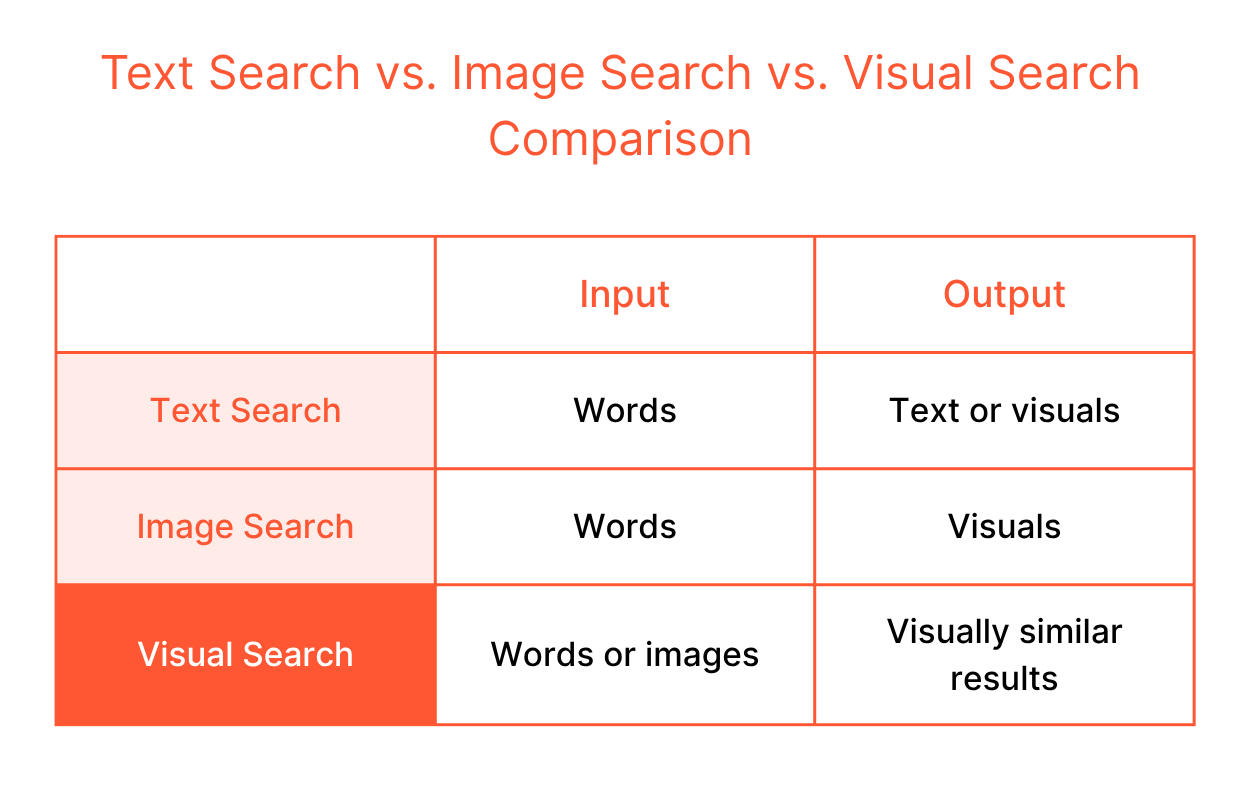 Text search starts with words and ends with either text or visuals. Think about how you conduct a Google search. You type a query, and the search engine matches it against indexed text like titles, descriptions, and tags. This search technique works well when you know exactly what you want and how to say it. But the problem? Many times, you don't.
When it comes to image search, take Google Images as an example. You still begin with text input. Yet, the output is always visual. It shows a grid of related photos or product listings matching your query. It’s useful when you know what to type but want to see a wide range of options.
Visual search removes limitations of text search and image search. You can search by inputting text. Alternatively, images can also be the query, so there's no vocabulary barrier. For search queries where language falls short, visual search is practically helpful.
Visual search is already part of how millions of people discover things every day. You might not even realize you're using it. From finding recipes to shopping for clothes, the technology shows up in the most everyday moments. Here are some of the best real-world examples of visual search in action.
You're cooking dinner. You open your fridge, look at what's left, and have no idea what to cook. Just open Pinterest Lens, point your camera at it, and let it do the work. It suggests recipes you can make with exactly what you've got.
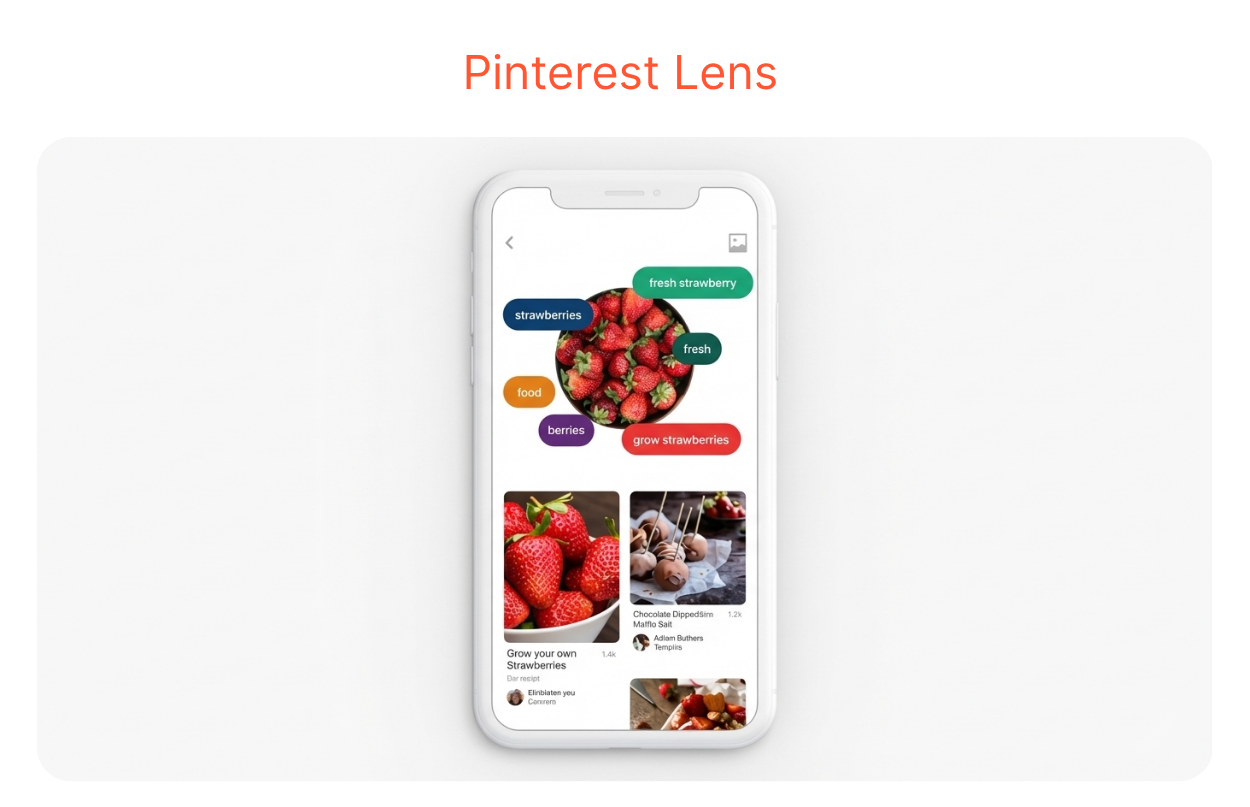 Pinterest Lens handles over 250 million visual searches every month, making it one of the most widely used visual discovery tools in the world.
You're scrolling through Instagram and spot an outfit you love. Just capture the screen, open the ASOS app, and upload that image. It instantly finds the closest matches from ASOS's catalog.
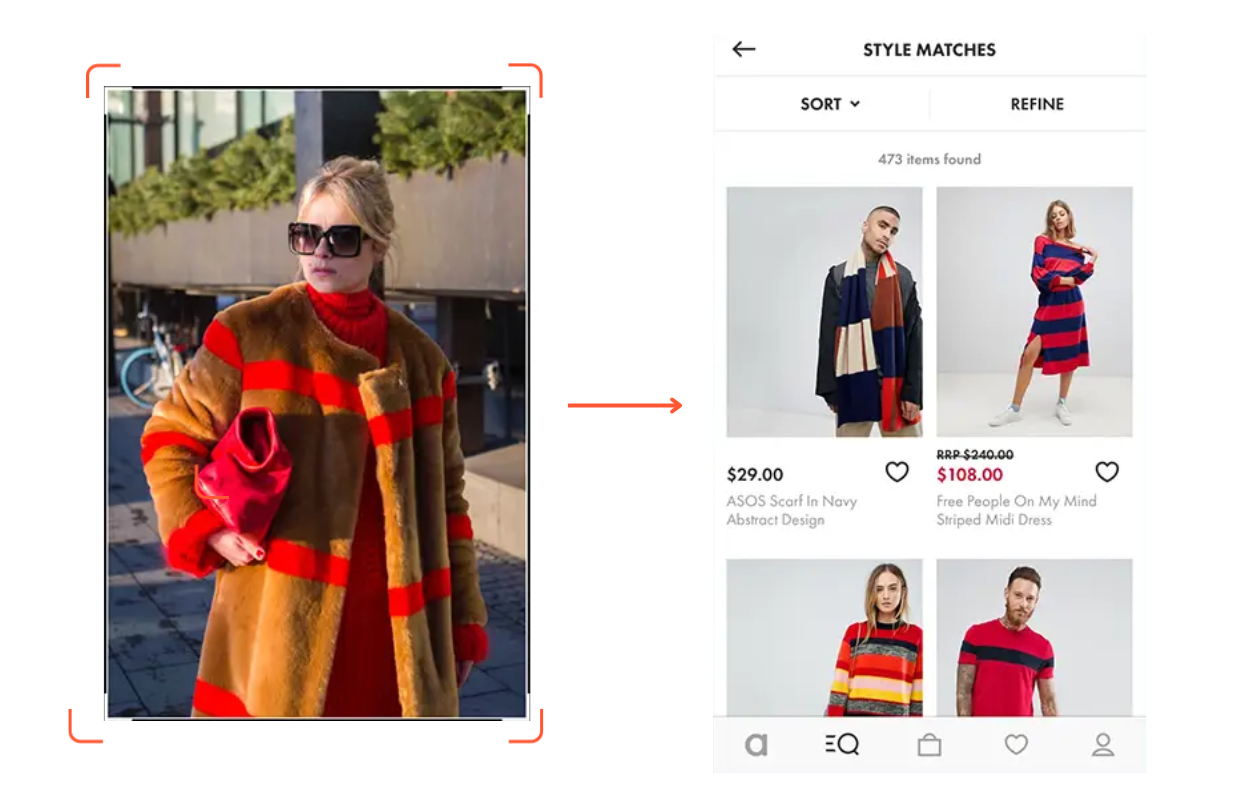 ASOS is one of the earliest fashion retailers to adopt visual search. Their Style Match feature turns outfit inspo from shoppers' screenshots into shoppable results. And it remains one of the most seamless examples of image-based product discovery in eCommerce today.
Want to try a new lipstick shade? Just open Sephora Virtual Artist and point your camera at your face. It scans your face and overlays a real lipstick shade on you. You can see exactly how a shade looks on your actual skin tone before spending a single dollar.
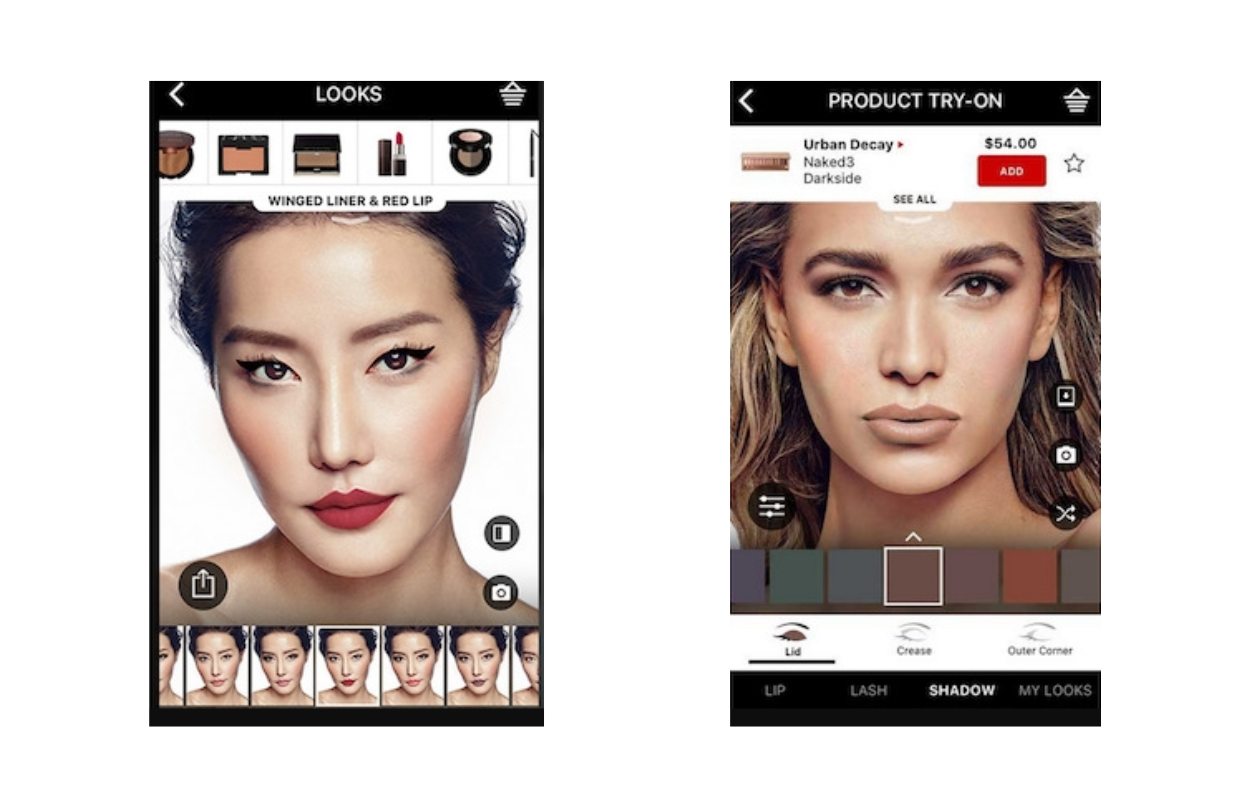 This feature doesn't stop at lipstick either. You can try on eyeshadows, blushes, lash styles, and even full makeup looks.
Most visual search tools start with a photo. YesPlz AI takes a different approach. Instead of requiring fashion shoppers to upload an image, YesPlz AI lets them interact with a Virtual Mannequin to select specific attributes they want, let’s say, silhouette, neckline, sleeve length, fit, and more.
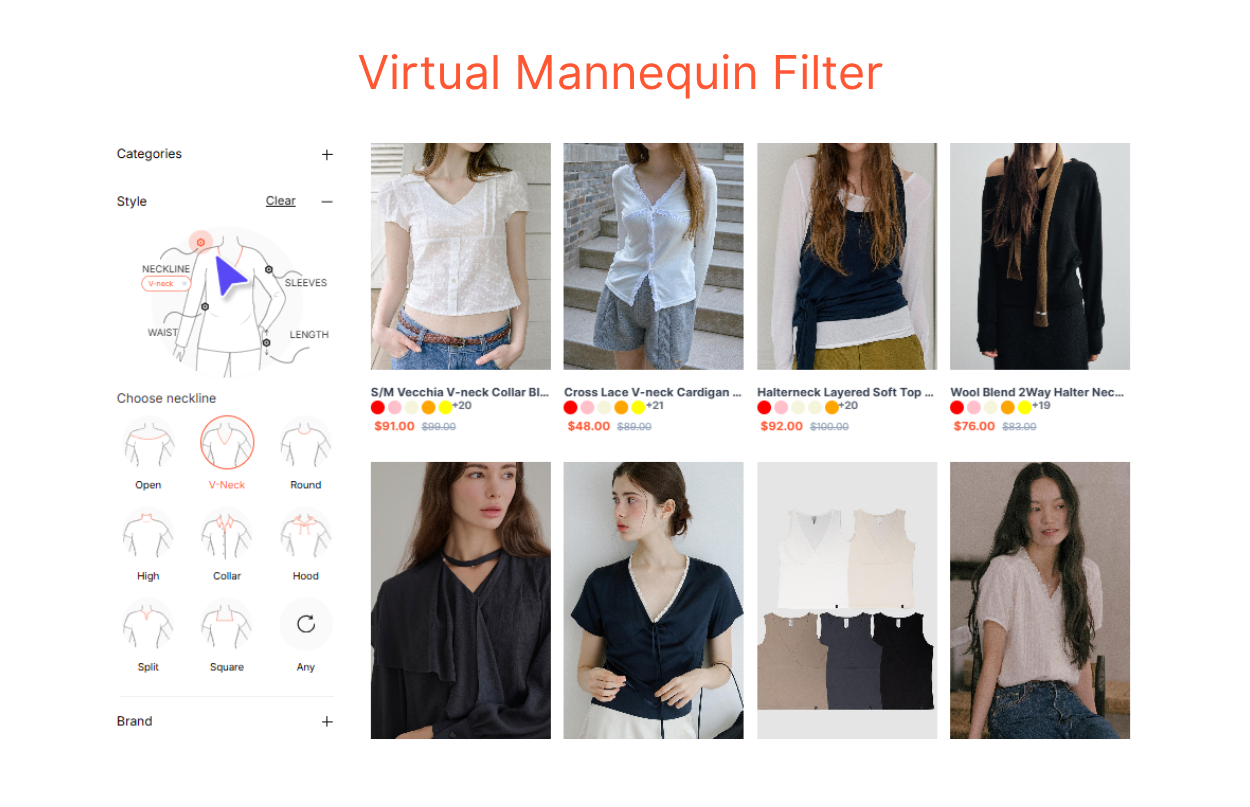 The AI then finds products that match those selections. It's especially useful when shoppers have a clear idea of what they want but don't have a reference image to work with. You can try the live demo of the Virtual Mannequin Filter here.
Visual search feels instant to users. But what actually happens in between? Here's a look under the hood.
AI scans an image pixel by pixel. It's trying to understand what's in the image, for example, the shapes, the colors, the textures, the objects, etc. It has been trained to extract meaningful information, the kind that actually matters for matching.
 In fashion, that means recognizing a round-neck shirt versus a square-neck shirt. In beauty, it means reading the finish of a lip product as matte vs. satin. In home decor, a Scandinavian aesthetic can be distinguished from an industrial one. The richer and more specific an AI model has been trained, the more accurately it detects information in an image.
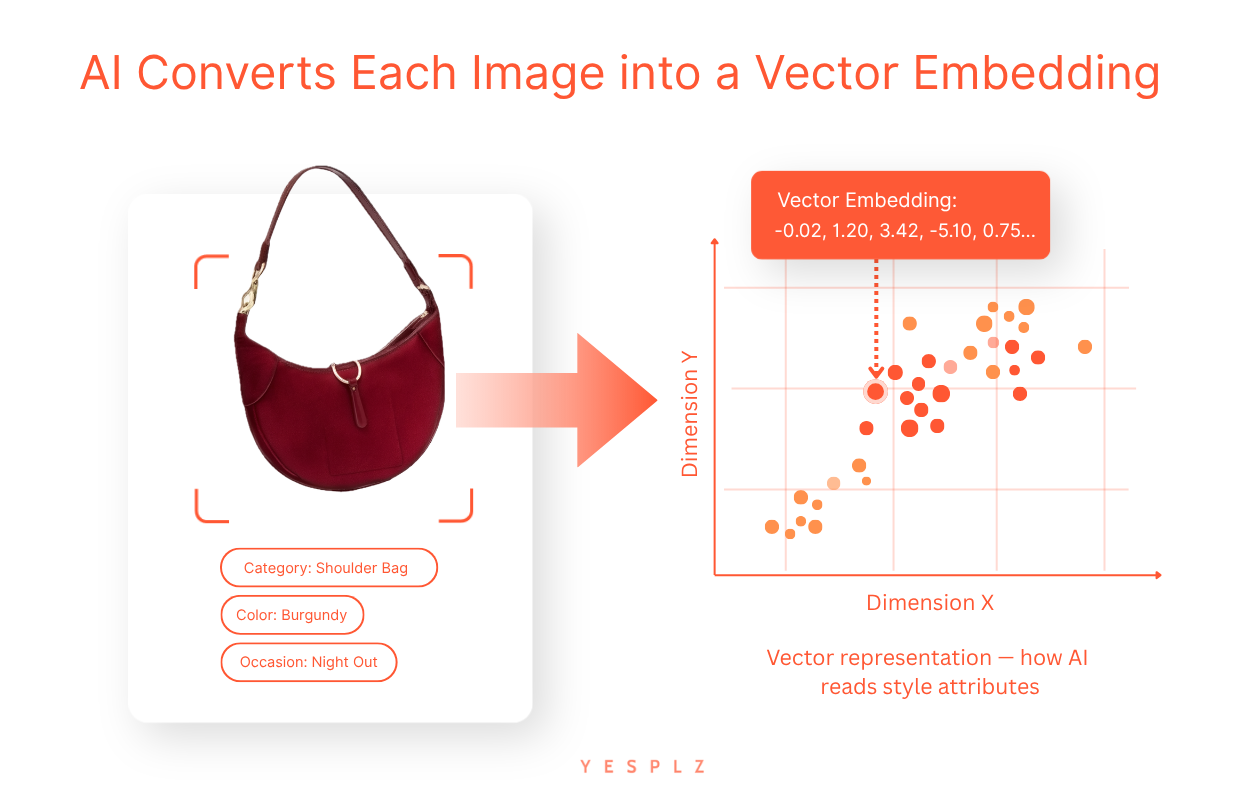
AI converts each image into a vector embedding. This is a long string of numbers so a computer can understand and compare it. It represents an image in a multi-dimensional space. Images that look similar will have vector embeddings that sit close together. Meanwhile, images that look completely different will sit far apart. This is the core mechanism that makes visual search work.
 Step 3: The Index Finds the Nearest Matches
To respond to a user search query fast, AI doesn't scan every single image on the Internet or on a product catalog one by one. That would be far too slow. Instead, it queries a vector database. This is a structured index that organizes all vector embeddings so the system knows exactly where to look.
Think of it like a library where every book is already sorted by topic. You don't have to read every book. You just go straight to the right shelf. This is what makes it possible to search across millions of images in milliseconds.
The closest matches surface at the top. Users see results that genuinely resemble what they searched for.
Every click, every scroll-past, every purchase sends a signal back into the system. AI notices what users found relevant and what they ignored. Over time, it recalibrates. It gets sharper. It gradually understands not just what an image contains, but what users actually meant when they searched.
Visual search has quietly expanded into almost every corner of our lives. It started with shopping, but it didn't stop there. Today, it powers everything from language translation to facial recognition and banking authentication. Here's a look at where visual search is making the biggest impact right now.
This is the most obvious and the biggest application. Shoppers use visual search to find products they've seen elsewhere, explore catalogs, and discover items they didn't know existed. eCommerce and retail combined account for 62% of all visual search volume, with 1.4 billion monthly image and video searches. For retailers, it's a direct path to better discovery, higher engagement, and more conversions.
 Translation and Text Extraction
Visual search isn't just for discovering products. Google Lens, for example, can scan printed text in a photo and instantly translate it into another language. Traveling abroad and can't read a menu? Point your camera at it. The text is extracted, recognized, and translated in seconds.
Ever spotted a plant and wondered what it was? Or seen an unfamiliar landmark while traveling? Visual search can identify almost anything — plants, animals, buildings, artworks, and dishes. It turns your camera into an instant knowledge engine, connecting what you see in the physical world to information on the internet.
Facial recognition is one of the most advanced forms of visual search. It's now woven into everyday life in ways that would have seemed futuristic just a decade ago.
Your phone unlocks the moment it sees your face. In modern apartment buildings, facial recognition is used to access elevators to different floors, replacing key cards entirely. Banks are using it too. Instead of typing a password or PIN, a quick face scan is enough to authenticate an online banking transaction. Your face is the key.
The visual search space is crowded, competitive, and moving fast. Several major players have already built tools that hundreds of millions of people use every day. Each one takes a slightly different approach. Understanding those differences matters if you're thinking about how to implement visual search for your own business. Here are the tools worth knowing.
Google Lens is the most widely used visual search tool in the world. It processes over 20 billion visual searches every month, with nearly 4 billion of those being purchase-related. Point your phone at almost anything — a plant, a dish, a pair of sneakers — and it tells you what it is, where to buy it, or how to make it.
Bing Visual Search offers similar capabilities to Google Lens but is more tailored to Microsoft's ecosystem. It's deeply integrated into the Edge browser, the Windows photo app, and even the Windows Snipping Tool. It's particularly strong in desktop environments.
Amazon Lens is built purely for purchase intent. According to Amazon's own data, visual searches on the platform grew 70% year over year. Shoppers photograph a product — in a store, in a magazine, anywhere — and Amazon finds it in its catalog instantly.
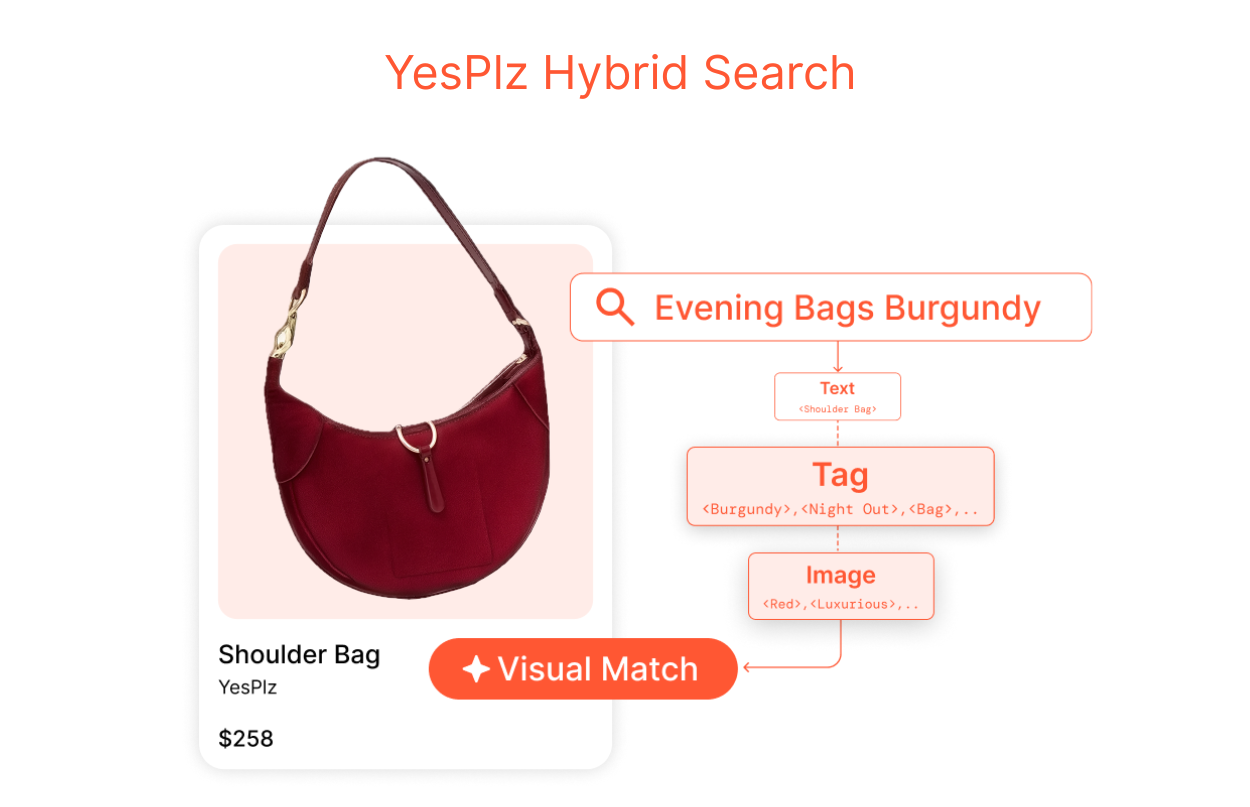
YesPlz AI visual search is built specifically for fashion eCommerce. Where general-purpose tools struggle with fashion-specific nuances, YesPlz is trained to understand them natively. It analyzes product images and identifies the attributes that actually matter to fashion shoppers. So, search results are relevant and accurate to what the shopper is looking for.
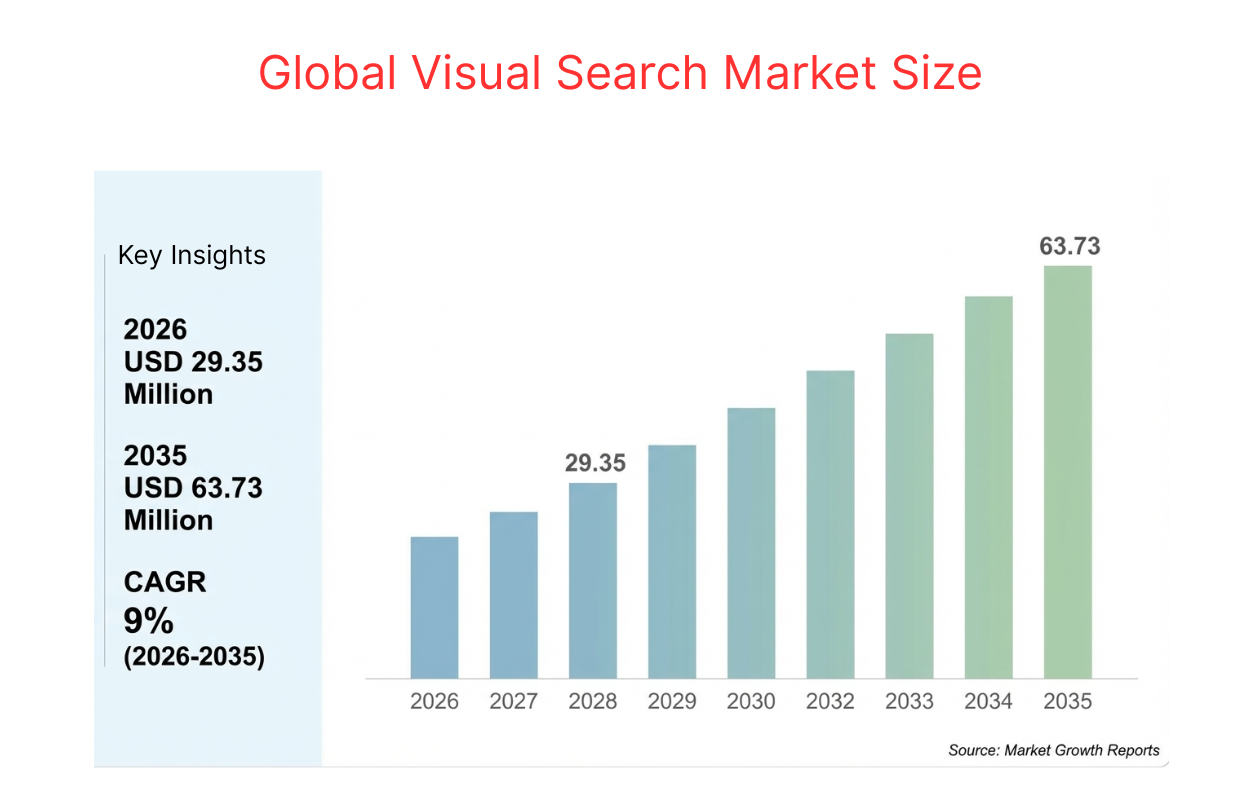
 Retailers who have adopted visual search early are already seeing measurable results across conversion, engagement, and returns, according to the Global Visual Search Market Size report. The numbers speak for themselves. Here's what visual search actually delivers.
Higher Conversion Rates: When shoppers can find what they're actually looking for, they buy. Retailers experienced a 38% boost in conversion rates after adding visual search functionality.
More Engagement: Visual search turns passive browsing into active discovery. Shoppers explore more, stay longer, and interact more deeply with a catalog. Retailers deploying visual search saw a 16% rise in engagement rate and a 9% increase in basket size per transaction.
Fewer Returns: When shoppers find products that match what they had in mind, they're less likely to send them back. Early-adopting retailers reported a 23% reduction in return rates after deploying visual search.
Visual search is powerful, but it's not without its challenges. Like any technology, it has real limitations that businesses need to understand before diving in. Knowing where it falls short helps you plan smarter and set the right expectations. Here's what to watch out for.
Visual search is only as good as the data behind it. If your product catalog has low-quality images, inconsistent tagging, or missing attributes, the results will reflect that. Before implementing visual search, getting your catalog management in order is the starting point.
Visual search requires serious computing power. Average latency for mobile visual queries currently sits around 920ms, leading to dropout rates in lower-speed network regions. For a technology that's supposed to feel instant, that lag matters, especially on mobile. Speed is still an active challenge that the industry is working to solve.
Any visual search implementation that touches facial recognition or biometric data is entering increasingly regulated territory. In 2024, 17 countries introduced new regulations around biometric image scanning, affecting hundreds of millions of user accounts. Compliance needs to be built in from the start.
The way people search is changing. Text alone can no longer capture everything shoppers are trying to find.
Visual search bridges that gap — accepting both words and images as input, and returning results based on what things actually look like. That flexibility is what makes it so powerful. It's a more natural, more intuitive way to search. The data backs it up, and the tools are already there.
Still have questions? Check out our article, eCommerce Visual Search: Explained in 15 Questions, where we answer the most common questions in more detail.

Written by YesPlz.AI
We build the next gen visual search & recommendation for online fashion retailers
